Superb quality and spec AB-Com PULSe 4K SE. Crazy offer! Only £129! FREE UK DELIVERY! 4K UHD, Enigma 2, Multiboot 4 images & more!...
Superb quality and spec AB-Com PULSe 4K Rev II Twin Satellite tuner only £179! FREE UK DELIVERY! 4K UHD, Enigma 2, SATA HDD facility, Multiboot 4 images & more!...

Testers required for OpenViX Python 3 images

Status
Not open for further replies.
I found that I don't need to stop enigma. Just overwrite the sources (with FileZilla in my case) and then restart the GUI. The _pycache_ is then re-built. Working fine now, thanks.
 

Thanks - I guess that I'm only getting the emails for the dev branch. I'll check the commits on github directly before submitting any more fault reports.

EDIT - apologies! I did get the email for those commits yesterday evening. Need to go back to SpecSavers :cool:
 
Last edited:
So issue was the 2TB HDD - incorrect statement (brackets error)

try new attachment (About.py)

Thanks - did not check in until now, but had worked out that the issue was related to the brackets and had fixed it locally.

As regards the swapfile, fully understand its not required. Its been on my usb for a long time - assume OpenVix just picks it up automatically, and by default I just enable it when re configuring.

Appreciate the work you guys are doing.
WW
 
not even in the future?

What may happen on production builds in the future is nothing to do with these tests.

I am building these images on my personal server and only want to build boxes that are well supported.
 
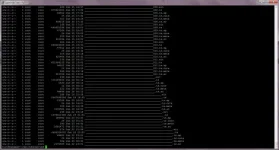
5.5.013.016 Py3 on my Zgemma H7S is creating files with bizarre filenames for recording in my movie folder.
They look fine in the file list on the box but if you FTP in to copy them elsewhere they are mostly names with loads of underscores at the beginning.

Please could everyone running this please look in your movies folder and see if the same is happening in your case.
Thanks.

moviebug1.webp
 
telnet not working on last update

Welcome to OpenViX for vuultimo4k
openvix 5.5 vuultimo4k

Connection closed by foreign host.
 
5.5.013.016 Py3 on my Zgemma H7S is creating files with bizarre filenames for recording in my movie folder.
They look fine in the file list on the box but if you FTP in to copy them elsewhere they are mostly names with loads of underscores at the beginning.

Please could everyone running this please look in your movies folder and see if the same is happening in your case.
Thanks.

View attachment 62288

I don't see that.
 
telnet not working on last update

Welcome to OpenViX for vuultimo4k
openvix 5.5 vuultimo4k

Connection closed by foreign host.

Works for me.
Code:
Welcome to OpenViX for vuultimo4k
openvix 5.5 vuultimo4k

vuultimo4k login: root
Password:
Last login: Sat Jun 26 09:01:44 CEST 2021 on pts/0
root@vuultimo4k:~#
 
5.5.013.016 Py3 on my Zgemma H7S is creating files with bizarre filenames for recording in my movie folder.
They look fine in the file list on the box but if you FTP in to copy them elsewhere they are mostly names with loads of underscores at the beginning.

Please could everyone running this please look in your movies folder and see if the same is happening in your case.
Thanks.

View attachment 62288

Nor do I, and I've been running P3 for quite a few weeks now.
 
5.5.013.016 Py3 on my Zgemma H7S is creating files with bizarre filenames for recording in my movie folder.
They look fine in the file list on the box but if you FTP in to copy them elsewhere they are mostly names with loads of underscores at the beginning.

Please could everyone running this please look in your movies folder and see if the same is happening in your case.
Thanks.

View attachment 62288

Absolutely fine on my box and I have not seen this issue at any time and I have been running python3 since last year
 
Grog's movie organiser perhaps?
 
5.5.013.016 Py3 on my Zgemma H7S is creating files with bizarre filenames for recording in my movie folder.
They look fine in the file list on the box but if you FTP in to copy them elsewhere they are mostly names with loads of underscores at the beginning.

Please could everyone running this please look in your movies folder and see if the same is happening in your case.
Thanks.

View attachment 62288

No such problem on my h7
 
Auto volume level doesn't seem to be working. Normally we can press audio button and set Auto volume level to HDMI.

This normally adjust the volume for IPTV to satellite my IPTV stream volumes are low compared to satellite and auto volume normally sorts it
 
Auto volume level doesn't seem to be working. Normally we can press audio button and set Auto volume level to HDMI.

This normally adjust the volume for IPTV to satellite my IPTV stream volumes are low compared to satellite and auto volume normally sorts it
that depends on the box - which receiver and what does cat /proc/stb/audio/avl_choices show

Its there on my Gigaue4k - you have to flip cursor up on my box and then down to see all the list
 
Last edited:
The option is there on my uno4k it just doesn't seem to adjust the volume switching from satellite to IPTV

Code:
root@vuuno4k:~# cat /proc/stb/audio/avl_choices                           dac spdif hdmi none
 
Last edited:
Well, I'm out for now until I figure out where the hordes of underscores are coming from.
 
Do completed timers show the same filenames?
 
Status
Not open for further replies.

OpenViX Feeds Status

Back
Top