Superb quality and spec AB-Com PULSe 4K SE. Crazy offer! Only £129! FREE UK DELIVERY! 4K UHD, Enigma 2, Multiboot 4 images & more!...
Superb quality and spec AB-Com PULSe 4K Rev II Twin Satellite tuner only £179! FREE UK DELIVERY! 4K UHD, Enigma 2, SATA HDD facility, Multiboot 4 images & more!...

Vu+Solo 4k - WinTV DualHD - can't get it to work

  • Thread starter Thread starter FredC
  • Start date Start date
F

FredC

Guest
Just seen a new driver for the Hauppauge WinTV DualHD USB DVB-T/T2/C tuner.

According the latest image readme this tuner is now supported.

I went into plugins>drivers and its listed as....

ct2-dvb-usb-dualhd (1.0-r2)
USB Driver for the Hauppauge WinTV Dual-HD Tuner

I got one of these a couple of years ago hoping it was supported, but no luck till now. Then I did an image update and was looking for a differecnt driver and saw this one at the top of the list.

So I added the driver, re-booted. Plugged in the Wintv DualHD into the box (on its own, no other usb devices connected), connected an DVB-T2 aerial and re-booted again.

When I checked in the list of devices, nothing there.


Any thoughs of what to do next?

Are there any logs to look at (if so which one and where is it located).

I'm OK to use the console (via Putty / Telnet), and quite familiar with Linux.

Cheers
 
I'm moving this to the VIX support forum, as its a brand new driver.
 
Anytime you use a plug in tuner stick as you said you downloaded driver and rebooted.Power off box and insert tuner then it should be seen as i had issues with not seeing my usb stick until box was rebooted.Does it show with an aerial feed in tuners?
 
Anytime you use a plug in tuner stick as you said you downloaded driver and rebooted.Power off box and insert tuner then it should be seen as i had issues with not seeing my usb stick until box was rebooted.Does it show with an aerial feed in tuners?

Thanks for answering.

Afraid thats not the problem. The tuner has been connected to the box for the last 2 days. The box is powered off every night.

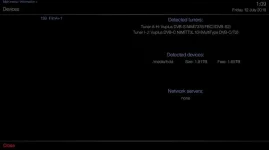
The tuner does not show in the list of devices Device List Info.webp

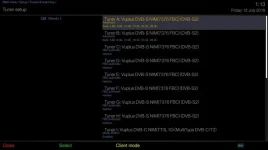
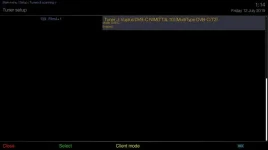
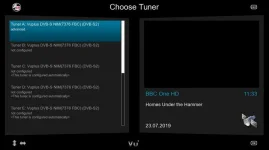
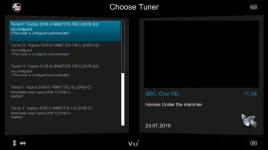
Nor in the list of tuners Setup Tuner List p1.webp Setup Tuner List p2.webp

But the device does show as connected....

root@vusolo4k:lsusb
Bus 004 Device 002: ID 2040:0265
Bus 005 Device 002: ID 148f:5372
Bus 001 Device 001: ID 1d6b:0002
Bus 002 Device 001: ID 1d6b:0003
Bus 003 Device 001: ID 1d6b:0002
Bus 004 Device 001: ID 1d6b:0002
Bus 005 Device 001: ID 1d6b:0002
Bus 006 Device 001: ID 1d6b:0002
Bus 007 Device 001: ID 1d6b:0001
Bus 008 Device 001: ID 1d6b:0001
Bus 009 Device 001: ID 1d6b:0001
Bus 010 Device 001: ID 1d6b:0001


Its the first device in the list. Doing a google search for "usb 2040:0265" returns hits for Huappage WinTV-dualHD, model 01590.

So what can I dump next, or should this go back to the support forum?
 
One thing i would not be doing with these boxes is powering off as they are to be left in standby or deep sleep.
I must dig mine out and see what it does.No harm asking in support forum.
 
I was checking driver plugins and seeing many drivers for Hauppauge.
 
One thing i would not be doing with these boxes is powering off as they are to be left in standby or deep sleep.
I must dig mine out and see what it does.No harm asking in support forum.

I do properly shut the box down before powering off, and, like you implied, boxes sometimes only recognise devices when starting from a full power off.
 
I was checking driver plugins and seeing many drivers for Hauppauge.

Yeah, there are a few, but they do make a lot of different tuners. They have been making tuners for many years and they've always been really excellent devices (its only the application software thats ever let them down).
 
What i meant was my boxes are in standby mode to allow epg and autobouquetmaker to update early in the morning.
 
Can you try with black hole. my usb tuner (apart from sundtek) does not work with solo4k
 
Can you try with black hole. my usb tuner (apart from sundtek) does not work with solo4k

Sorry about the delay, been snowed under.

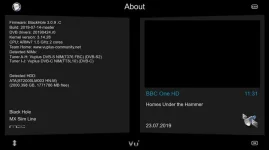
Anyway I've loaded latest BH image. Here are screenshots showing the tuner lists. Note that the Wintv DualHD stilll not detected (after a full power off for 1 minute).

BH Device List Info.webp

And the tuner setup pages

BH Setup Tuner List p1.webp BH Setup Tuner List p2.webp

How do I see which drivers are installed on BH? In ViX I'd go into plugins>drivers to check which drivers are installed, but I cannot find this option under the BH menus

Also what other info can I provide to help debugginf this issue?

Cheers
 
Please can anybody offer any suggestions where to go to get help with this driver?

I tried posting in the support forum, but it was closed down because it was already posted here.

Are there any ideas how I can get this through to the creator of the tuner driver? I'm willing to try most things on my box, as long as it doesn't involve bricking it.

Thanks
 
I will presume if your used to the plugins feed and downloading stuff it goes the other way too for removing things so you could see and make note of what was loaded to box,its just a thought for now.
 
Our dual dvb-c tuners / dual dvb-s/s2/s2x are also available now. The distributor is namatek.com.tw
 
I have a mutant HD2400 and having noticed the driver for the wintv-dualHD, decided to get one.
Connected usb stick and aerial, installed the driver and rebooted.

The tuner is not recognised in the tuner list.

Did a lot of research and from another forum where they were trying to get the SoloHD working found this.

If you telnet the commands:

lsusb

You will identify if the usb stick is visible by the system, in my case the line I am interested in is:

Bus 002 Device 002: ID 2040:8265

If you look at
https://www.kernel.org/doc/html/v5.3/media/v4l-drivers/em28xx-cardlist.html#

You will find the list of id numbers and the associated card number for your stick. Mine is 99

Now telnet the following commands(your card number may be different):

modprobe em28xx card=99
echo "2040 8265" > /sys/bus/usb/drivers/em28xx/new_id

If you are successful the indicator light on the stick will come on.

You now need to create a file called:

enigma2_pre_start.sh

I use notepad and put the two commands above in it.

You will then need to place this file in the /usr/bin folder.

It is important to change its attribute to 755, so the file will be executed.
It is necessary to create the file for reboot purposes.

Once you have done this reboot your box and your stick (1 tuner) should be recognised in the tuner list.

In my case I could tune in stations but the picture quality is completely scrambled.
I believe it is because the kernel on my machine is too old and the kernel needs to be updated to account for the newer sticks.

Give it a try. Let me know what happens.

And lastly do any of you clever techies, have an answer for me.

PS. I would be grateful if I could have a list of the machines that the Hauppage WinTV-dualHD (Bulk ID 2040:8265 ) stick works on.
 
Last edited:
Anyone know where the new driver came from?
There are two different USB devices called "Hauppauge WinTV Dual-HD".
One is for DVB-T/T2 the other is for American ATSC.
Perhaps this driver is for the ATSC version?
I hope not.
 

OpenViX Feeds Status

Back
Top