Superb quality and spec AB-Com PULSe 4K SE. Crazy offer! Only £129! FREE UK DELIVERY! 4K UHD, Enigma 2, Multiboot 4 images & more!...
Superb quality and spec AB-Com PULSe 4K Rev II Twin Satellite tuner only £179! FREE UK DELIVERY! 4K UHD, Enigma 2, SATA HDD facility, Multiboot 4 images & more!...

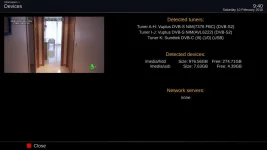
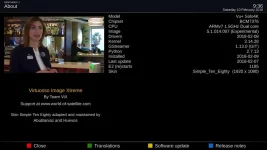
New skin: Simple Ten Eighty

Huevos

Administrator
Staff member
Joined
Jun 20, 2010
Messages
15,680
Reaction score
502
Points
113
Location
38.5N, 0.5W
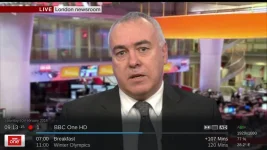
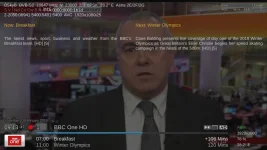
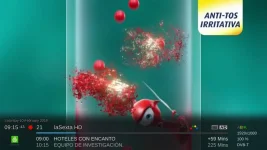
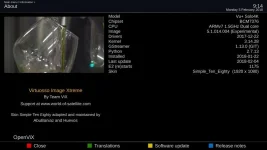
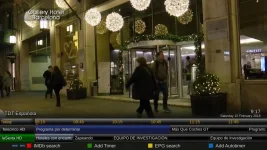
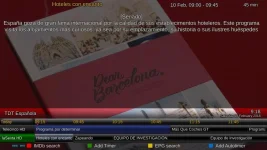
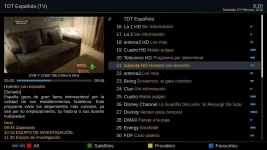
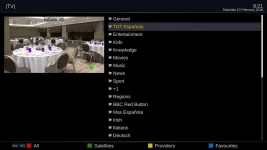
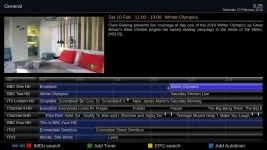
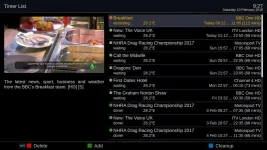
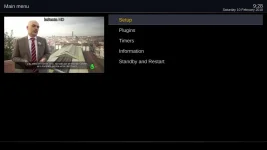
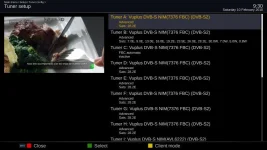
Skin: Simple Ten Eighty, in the feeds from build 5.1.014.

Clear and readable on televisions of all sizes.
Adapted from PLi-FullNightHD, based on Magic_HD_Shadow_MiniTV by Vali (c)2009-2010.
This skin includes derived work from VU+NL, Milo, IMS and others.
This skin is a Freeware. Everyone can modify and use it in other images.

Adapted and maintained by AbuBaniaz and Huevos.
0.webp

1.webp

2.webp

4.webp

5.webp

6.webp

7.webp

8.webp

9.webp

10.webp
 
Last edited:
There may be screens that we have not done or errors.

When reporting errors, please
  • If you have changed any options, please state which one and what the values you are using are
  • State the name of the screen
  • State how you reached the screen. I.e all the button presses to reach there
  • Post a screenshot. If possible, highlight the area. This is particularly useful for minor overlaps etc
  • A guide to screenshots is here
  • If possible (not mandatory, but helps), please start enigma2 in console mode. In the console mode it will say something like this. Helps identify the screen name pinpoint any issues
Code:
<   820.714> [Skin] processing screen [B]AutoTimerEditor[/B]:

Code:
<   820.715> [Skin] Unable to find screen 'HalfScreenTemplate' referred in screen 'AutoTimerEditor'


To start Enigma2 in console mode, issue following commands

Code:
init 4

then
Code:
enigma2

To exit
Code:
ctrl & C
then

Code:
init 3


​
 
Last edited:
Attached is a script to update the xml files for those who dont want to wait for the image updates.

Please note: If other python files are required, you may end up in a boot loop. Should this happen, restore the backed-up xml files.

Usage:
Ensure you have a /usr/script/ folder. Blue > Vix > Script runner will create it for you, otherwise manually create it.
Inflate/unzip/unrar the attached file and transfer the update_simple1080.sh file to the /usr/script/ folder
Make sure the script has 755 properties. Right click on it and change it to 755 if required.

Run the script by your chosen method. Simplest method is Blue > Vix > Script runner. Select the script and run/execute it. Restart Enigma2 for changes to take effect.
 

Attachments

Last edited:
HD51 - 014 - previous skin - youvix

Bouquet list and channel list nothing like above screenshots
 

Attachments

  • bouquet_list.webp
    bouquet_list.webp
    42.8 KB · Views: 113
  • channel_list.webp
    channel_list.webp
    51.8 KB · Views: 107
Please see post 3.

State how you reached the screen. I.e all the button presses to reach there
 
up or down arrow to bring up channel list then blue or I have mapped ch + - to bring up bouquet list, both with same screens.
 
Was going to try this tonight, after installing the box crashed...
i noticed it says this is in the feeds from "5.1.014"
My edision mini plus is on 5.1.002 so should this skin be showing in my feeds?
My question is the latest update for the edision mini plus is 5.1.013
If i update to 5.1.013 will this skin work on this version?
Or was it built specifically for builds 5.1.014 and above?

Crash log if needed

View attachment Enigma2_crash_2018-02-11_23-58-39.log
 

Attachments

Last edited:
Yes update your image to 5.1.014 or the code required will not be available.
 
Last edited:
Yes update your image or the code required will not be available.

Ok m8 will do.
Nice looking skin

This could just be a heads up for anybody who is not on the required image version as it still appears in the feeds below 5.1.014
 
Last edited:
Ok m8 will do.
Nice looking skin

This could just be a heads up for anybody who is not on the required image version as it still appears in the feeds below 5.1.014
Needs 5.1.014
 
Just updated to 5.1.018, and tried this skin for the 1st time - looks good.

Problem with the graphical epg, it doesn't fill the whole screen (picture in graphics is ok, but I always have this set this to no.)

(I resize the OSD as I can't switch off overscan on my tv.)

Hopefully pictures will clarify....


Mod EDIT:

Added here
https://github.com/OpenViX/skins/commit/819e47651e57202f680d2d9c518c1057c26b6656
 

Attachments

  • 1.webp
    1.webp
    51.3 KB · Views: 62
  • 2.webp
    2.webp
    36.5 KB · Views: 51
  • 3.webp
    3.webp
    27.3 KB · Views: 46
  • 4.webp
    4.webp
    60.3 KB · Views: 58
Last edited by a moderator:
One minor request:

Could the space allocated to programme titles in the movie list be reduced by 1 or 2 characters, and the date/time increased by the same amount?
It nearly fits at the moment, but reducing font sizes makes it difficult to read. (Small tv by todays standards.)
 
One minor request:

Could the space allocated to programme titles in the movie list be reduced by 1 or 2 characters, and the date/time increased by the same amount?
It nearly fits at the moment, but reducing font sizes makes it difficult to read. (Small tv by todays standards.)

Screenshot with highlighted area of concern please.
 
Screenshot with highlighted area of concern please.

Date/time of first entry (and others) truncated.......

Font size of 3 fits ok but much too small, I'm using 5 (1st screenshot), but 8 would be even better (3rd screenshot).
 

Attachments

  • 11.webp
    11.webp
    55.2 KB · Views: 51
  • 22.webp
    22.webp
    50.8 KB · Views: 46
  • 33.webp
    33.webp
    61.8 KB · Views: 45

OpenViX Feeds Status

Back
Top