Superb quality and spec AB-Com PULSe 4K SE. Crazy offer! Only £99! FREE UK DELIVERY! 4K UHD, Enigma 2, Multiboot 4 images & more!...
Superb quality and spec AB-Com PULSe 4K Rev II Twin Satellite tuner only £149! FREE UK DELIVERY! 4K UHD, Enigma 2, SATA HDD facility, Multiboot 4 images & more!...

Editing SD / HD channel numbers since $ky killed off HD

Status
Not open for further replies.
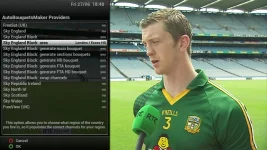
yes I'm following the instructions here - however I cannot select sly uk black in ABM


Download the latest XML from the first post here

http://www.world-of-satellite.com/sh...-E2-with-a-cam

You need to transfer the XML to this location

/usr/lib/enigma2/python/Plugins/SystemPlugins/AutoBouquetsMaker/providers/

and than go into ABM and disable sly UK and select sly uk black and enable HD swap and this will move all the SD channels to the same position as the blacked out HD but keep the ftv HD in place
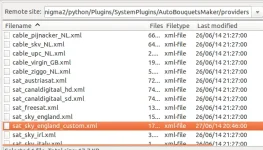
 
I've tried this and it doesn't work for me. The new xml doesn't appear in ABM so I can't select it

Did you extract the xml to the correct location?
Just did it here & it's showing up fine...

Screenshot from 2014-06-27 18:50:34.webp grab.webp
 
Yes - I can even show you screenshots if you can tell me how to do it from my TV.

I've just deleted the xml file and re copied it.

Still doesn't recognise it in ABM
 
Yes - I can even show you screenshots if you can tell me how to do it from my TV.

I've just deleted the xml file and re copied it.

Still doesn't recognise it in ABM

What exact Image are you using (include the build version number).
 
That image is running a old version of ABM which may not be fully compatible with the file judge uploaded, try a newer image and see if it works then.
 
Thanks. Just updated to latest version of Apollo. It now find the xml in ABM. I haven't actually applied it yet as have a recording that's about to start so want to wait for that to finish.

Might be a good idea for someone to add to the instructions that you might need to update your image to latest version?

Thanks a lot for you help,
Mike
 
Just done mine. Works a treat. Only one problem, channel 5 HD isn't free to air.
 
Thanks. Just updated to latest version of Apollo. It now find the xml in ABM. I haven't actually applied it yet as have a recording that's about to start so want to wait for that to finish.

Might be a good idea for someone to add to the instructions that you might need to update your image to latest version?

Thanks a lot for you help,
Mike

Its the same procedure to flash a new image as it is a old one.
 
I select Border HD and it's spot on. Just channel 5 HD needs unswapped lol
 
Problem with this is I don't generate main bouquets as I like sky numbering per section and don't like the all channels bouquet. :-(

Thanks for the efforts tho guys.
 
I just went to the movies section. All the HD channels are listed first :(
 
@Andy Hazza, use HD first or words to that effect.

@martincape, screenshots of settings please.
 
Yea I know. But on Sky England Black, Channel 5 HD is listed first. Hence it needs unswapped.
 
Not here, try another region and see if it changes

Sent from my SM-N9005 using Tapatalk
 
I will get onto it tonight, i was at a meeting till late last night, i might over the weekend also try to manipulate sd region so Channels 1-4 are hd and all the HD channels move way way out of site.
Heres my xml, as always it moves dark HD channels way up the list so they don't get in the way, as always if you havnt used this xml before, unhide all sections first.

View attachment sat_sky_england.zip
 
Status
Not open for further replies.

OpenViX Feeds Status

Back
Top